Presentations still play a huge role in business. Whether you’re pitching investors, sharing a strategy update, launching a product, or presenting to clients, the design of your slides can have a direct impact on how your message is received.
Today, online presentation creators make it possible to design professional slides in minutes, even without graphic design experience or skills. The key is choosing a platform that combines some great templates, strong customization tools, and proper file exports for sharing or printing the created designs.
In this article, we’ll explore three powerful presentation creators:
- Design.com
- BrandCrowd
- Canva
Each offers presentation creation tools, but they differ in approach, branding integration, and design flexibility.
1.Design.com

Design.com offers a dedicated Presentation Maker as part of its broader branding ecosystem.
How It Works
To get started, users simply enter their business name or a keyword. The platform then generates presentations relevant to the industry or theme. From there, you can browse thousands of presentation templates and choose a design that fits your needs. Here are some template examples:
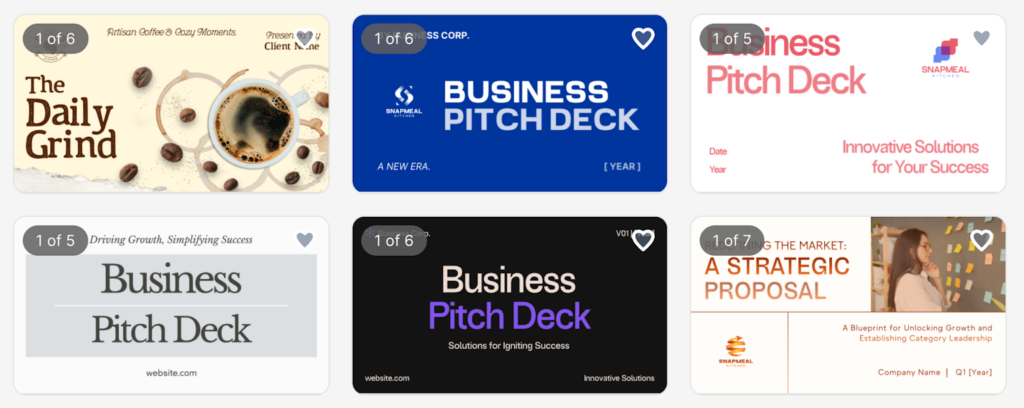
The interface is designed to be beginner-friendly. No design or technical skills are required.
Templates & Design Quality
Design.com offers:
- Thousands of presentation templates
- Professionally designed slide decks
- Industry-specific themes (corporate, pitch decks, reports, portfolios, case studies, and more)
Each template is created by professional designers and is built to be visually consistent and polished.
Customization
The presentation editor allows users to:
- Change colors
- Modify fonts
- Adjust layouts
- Move elements
- Add icons and shapes
- Apply gradient colors
There are unlimited edits available, so users can create multiple variations of the same deck.
File Formats
Once completed, presentations can be downloaded instantly in:
- High-resolution PNG and JPG
- Vector files including SVG, EPS, and PDF
Vector exports are particularly useful for printing and professional scaling.
Branding Ecosystem
One of Design.com’s biggest strengths is its integrated branding system. Alongside presentations, users can create:
- Logos
- Business cards
- Social media templates
- Email signatures
- Letterheads
- Websites
Brand colors and assets can be aligned across templates, helping maintain consistency across all materials.
Support is available 24/7 via chat or email.
Design.com works best for businesses that want presentation design integrated into a larger brand-building toolkit.
2.BrandCrowd
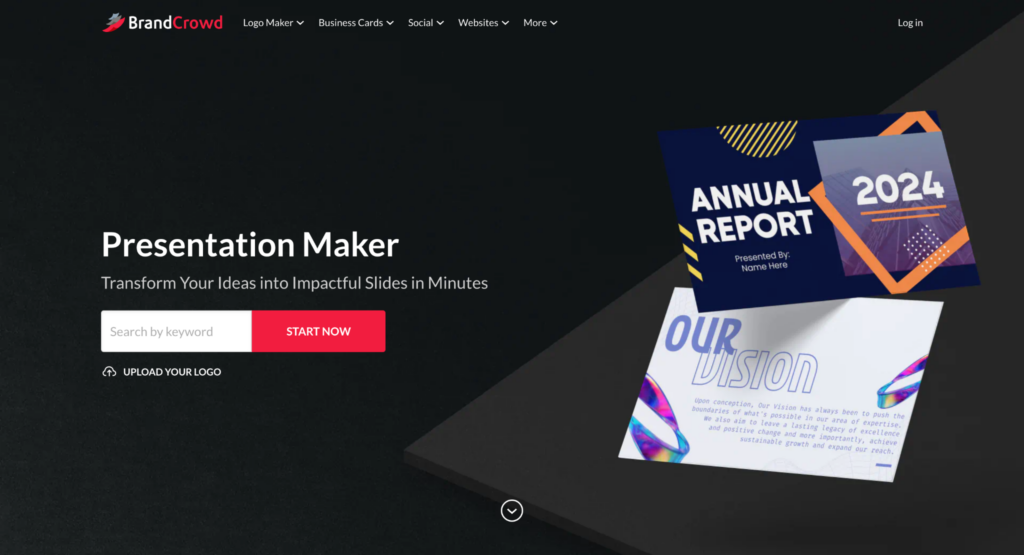
BrandCrowd also offers a dedicated Presentation Maker, built around customizable professional templates.
How It Works
Users enter their business name or keywords, and BrandCrowd displays relevant presentation templates instantly. The process is simple:
- Choose a template
- Customize fonts, colors, and layout
- Download instantly
The workflow is straightforward and designed for non-designers.
Templates & Design Quality
BrandCrowd provides:
- Thousands of presentation templates
- Professionally designed slide decks
- Industry-based categories (corporate, pitch decks, startup, marketing agency, tech reports, and more)
Each presentation is designed to look polished and presentation-ready. Here are some examples of presentation templates from BrandCrowd:
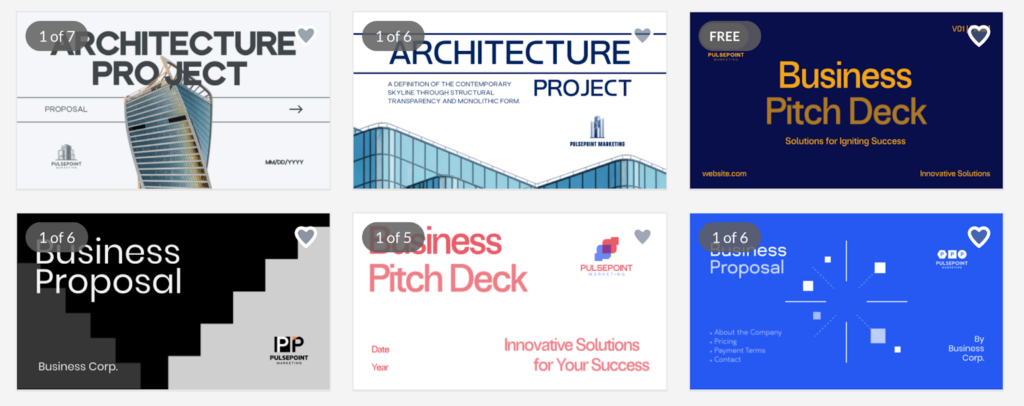
Customization
BrandCrowd allows users to:
- Change colors
- Adjust fonts
- Move elements
- Modify layout
- Add shapes and gradient effects
Like Design.com, unlimited customization is available within the editor.
File Formats
Presentations can be downloaded in:
- High-resolution PNG and JPG
- Vector formats, including SVG, EPS, and PDF
These file formats allow both digital sharing and print use.
Additional Branding Tools
BrandCrowd also provides additional tools beyond presentations, including:
- Logo maker
- Business cards
- Social media templates
- Website builder
- QR codes
- Digital business cards
Brand elements can be applied across templates for visual consistency.
BrandCrowd works well for businesses that want polished presentation templates combined with broader branding tools.
Canva

Canva is one of the most widely used design platforms globally, and its presentation maker is one of its most popular tools.
How It Works
Users can:
- Start from a blank presentation
- Choose from thousands of presentation templates
- Use Canva’s drag-and-drop editor
Unlike Design.com and BrandCrowd, Canva offers deeper manual editing control and collaboration features.
Templates & Design Variety
Canva provides:
- Thousands of presentation templates
- Animated presentation options
- Business, education, startup, and creative themes
Templates range from minimal corporate decks to highly visual, creative layouts. Here are some template examples we found on Canva:
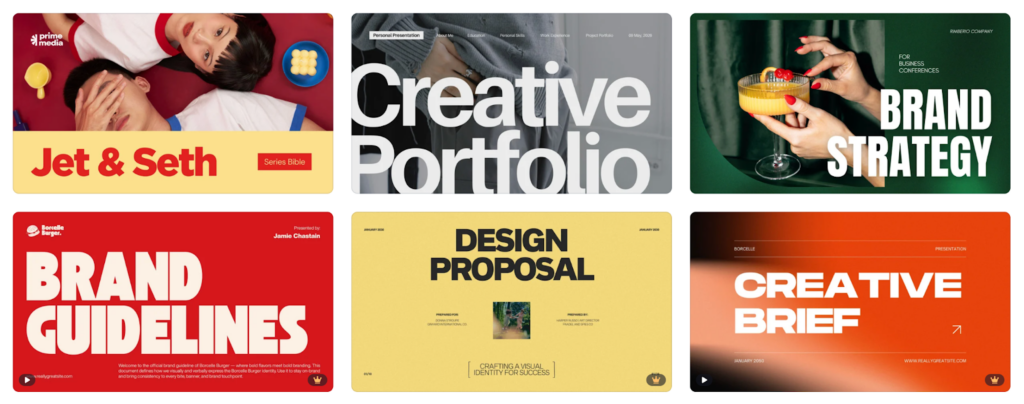
Customization
Canva’s editor allows:
- Drag-and-drop positioning
- Extensive font and color control
- Photo uploads
- Charts and data visualization
- Embedded media
- Animations and transitions
Canva is particularly strong for teams that need flexible slide design control.
File Formats
Canva presentations can be exported as:
- PDF (standard and print)
- PNG & JPG
- PowerPoint (PPTX)
- MP4 (for animated presentations)
Vector export (SVG) is available under certain plan types.
Collaboration Features
One of Canva’s biggest advantages is real-time collaboration. Teams can:
- Edit together
- Leave comments
- Share presentation links
Canva is often preferred for collaborative environments or creative teams.
Feature Comparison
| Feature | Design.com | BrandCrowd | Canva |
| Presentation Templates | Thousands | Thousands | Thousands |
| Professional Designs | Yes | Yes | Yes |
| Vector File Export | SVG, EPS, PDF | SVG, EPS, PDF | PDF (SVG limited by plan) |
| High-Resolution Downloads | Yes | Yes | Yes |
| Branding Tools Included | Yes | Yes | Yes |
| Collaboration Features | Limited | Limited | Strong team collaboration |
| Best For | Full branding ecosystem | Branding + polished slide templates | Flexible editing & team collaboration |
Conclusion
There are so many platforms that can help you create visually strong presentations quickly. The ones we discussed today each offer slightly different experiences when it comes to making presentations.
Design.com is ideal if you want presentation design integrated into a full branding platform. BrandCrowd offers a similar template-driven experience with strong design quality and easy customization, while Canva stands out for flexible editing and collaboration features.
Ultimately, the best presentation creator depends on your priorities and specific goals, be it consistency, flexibility, or collaboration.