Meta Description: If you want to learn how Vidnoz AI helps businesses close skill gaps fast with AI-powered training videos, then you’re in the right place. Follow this guide to learn how.
Creating professional training videos used to require expensive equipment, actors, and a week of production time. AI training video creation has completely changed that reality. Now, anyone can produce studio-quality training videos in minutes, rather than weeks, without the need for cameras or technical skills. Vidnoz AI offers a powerful solution by enabling organizations to rapidly create and deploy customized training videos. With its AI-driven automation, teams can design engaging, interactive learning modules in minutes. In this guide, we’ll give you a comprehensive look at Vidnoz AI and show how this innovative tool is revolutionizing the way training videos are created and delivered.
Part 1: What is Vidnoz AI?
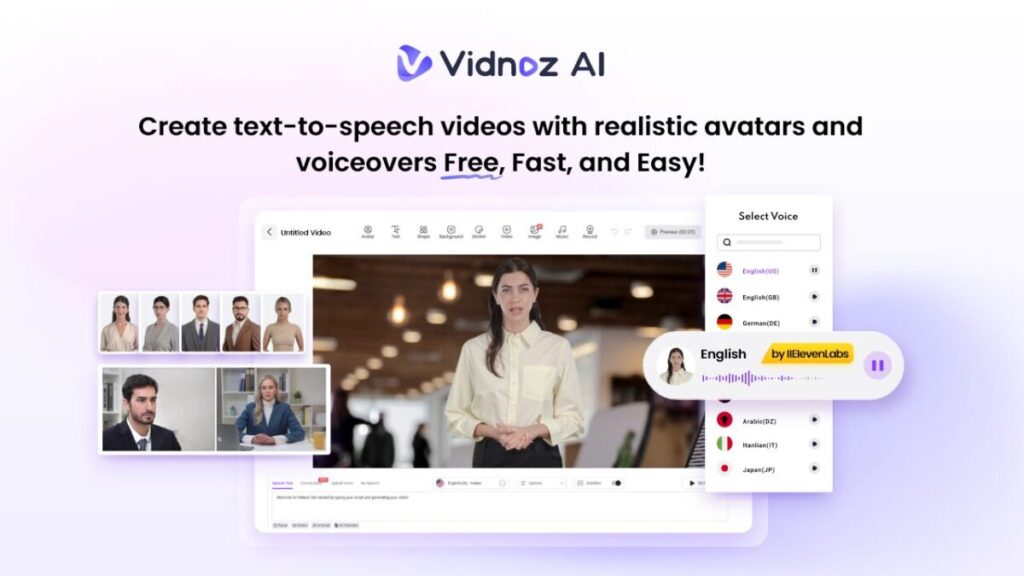
If you’re looking for an AI tool to create high-quality AI videos, Vidnoz AI is the best option. It is a free AI-powered video creation platform that streamlines video production with a suite of AI-driven tools. The program is certified with ISO/IEC 27001:2022 for Information Security Management. Using 2800+ video templates, 1700+ realistic avatars, and massive video-creating materials for hundreds of different scenarios, users can generate professional-looking training, marketing, and explainer videos instantly — without needing cameras, actors, or editing skills. Vidnoz AI supports multi-language voiceovers, text-to-video generation, and AI script writing, making it a one-stop solution for content creators, educators, and businesses aiming to scale their video communication effortlessly.
Part 2: Key Features That Make Vidnoz AI an Essential Tool for Video Creation
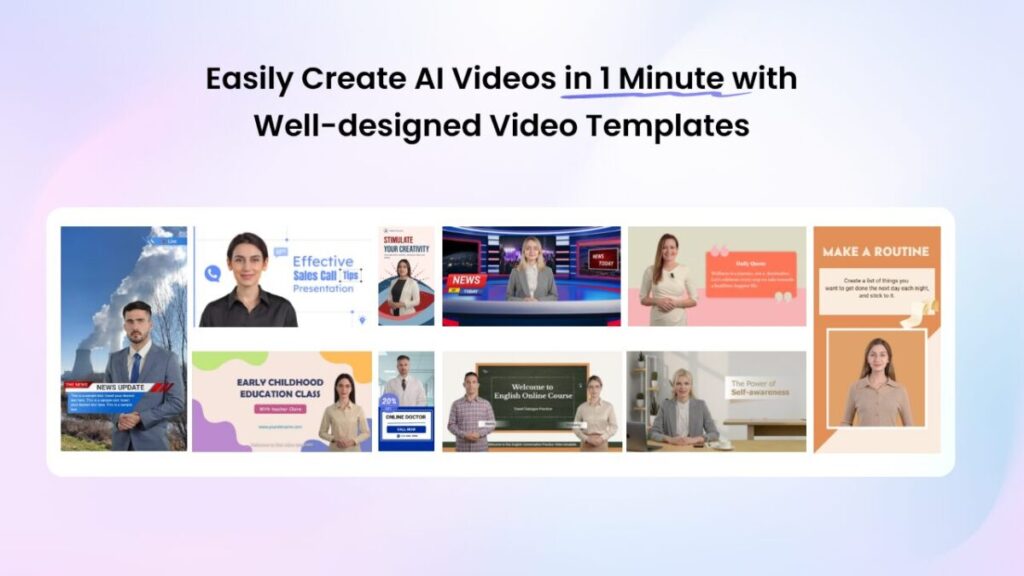
Vidnoz AI stands out as a complete solution for creating professional, engaging, and customized videos within minutes. Its powerful AI-driven features are designed to simplify the entire video production process. Here are the top features of Vidnoz AI that make it a must-have tool for all your video needs:
- Engaging Video Templates: Vidnoz AI includes 2800+ customizable templates, allowing users to create various types of videos, including training, how-to guides, product demos, and more. The program also offers a wide range of aspect ratio templates, including landscape and portrait, ensuring your videos perfectly fit any device or platform display requirements.
- High-Quality Avatars: The program offers 1700+ lifelike avatars, each from different industries and roles. It includes realistic avatars of teachers, students, doctors, hosts, customer supporters, chiefs, and more. Plus, users can do quick creations using Avatar Lite, and Avatar Pro offers an advanced option for deeper customization, such as flexible backgrounds.
- Natural-Sounding Voices: Vidnoz AI includes over 1830+ AI voices, such as celebrities, politicians, cartoon characters, anime, and more. The best part of Vidnoz AI voices is that they are all powered by ElevenLabs, Google, and Microsoft. Further, the lip-syncing AI voiceovers can perfectly match the text script with accurate lip movement, appropriate tones, and pitches.
- Free Version: The best part is that Vidnoz AI offers a free version for first-time users, allowing them to explore its features without any cost. The free version allows users to create a 2-minute video daily and offers amazing features like Avatar Lite, Avatar Pro, Templates, AI Voices, and more.
- AI Video Wizard: With Vidnoz AI, you don’t require any technical skill or expensive equipment. Simply input your text or upload any source material, and this program will automatically convert it into an engaging video.
Part 3: How Vidnoz AI Transforms the Training Process
Vidnoz AI is changing how organizations create and deliver training by making the entire process faster, simpler, and more efficient.
- Speed: One of its strongest advantages is speed — what once took weeks to film, edit, and finalize can now be produced in just minutes.
- Accessibility: Users now doen’t require cameras, actors, or editing expertise to create professional videos.
- Customization: Vidnoz AI allows users to cut and trim footage, add animated effects, change backgrounds, alter AI-generated scripts, and do more.
- Fast Generation: The program’s exceptional advantage lies in its ultra-fast video generation, with waiting times measured in seconds.
Part 4: Step-by-Step Guide: How to Create High-Quality Training Videos With Vidnoz AI
Vidnoz AI provides an intuitive interface, enabling users to create high-quality training videos with ease. Here is how to do it:
- Open your web browser and go to Vidnoz AI’s official site. Click on the “Create Free Video Now” button. Choose the Video Template and AI Avatar.
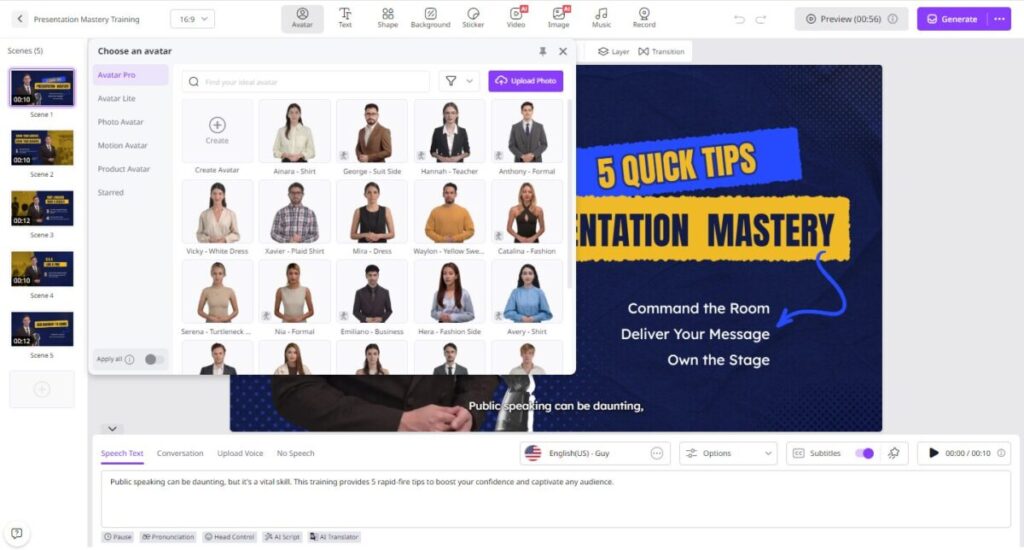
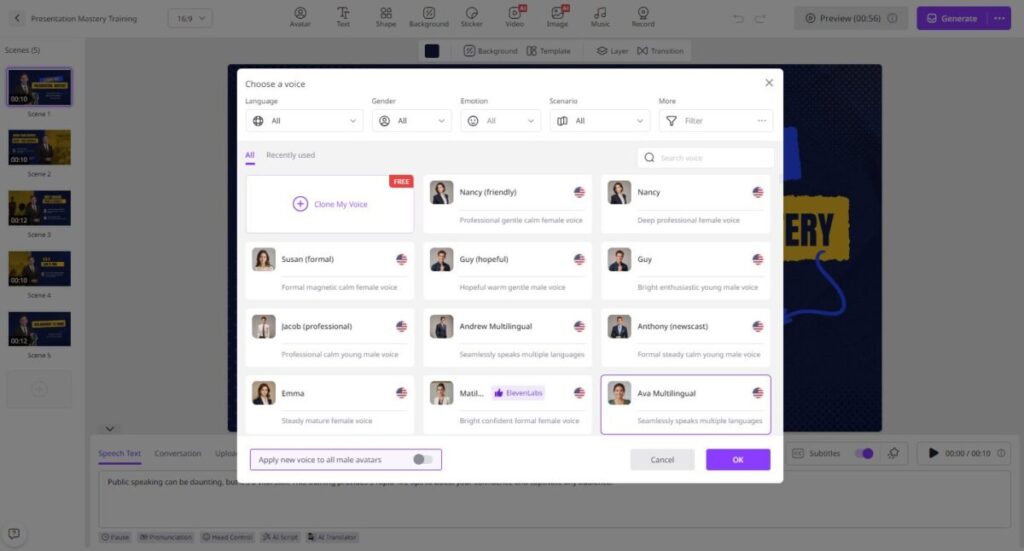
- Enter your video script or upload any source material, then select your preferred voice and language to customize the video to your audience’s needs.
- Next, use the Online AI Video Editor to customize the AI video. It allows you to insert text, change the background, and add music.
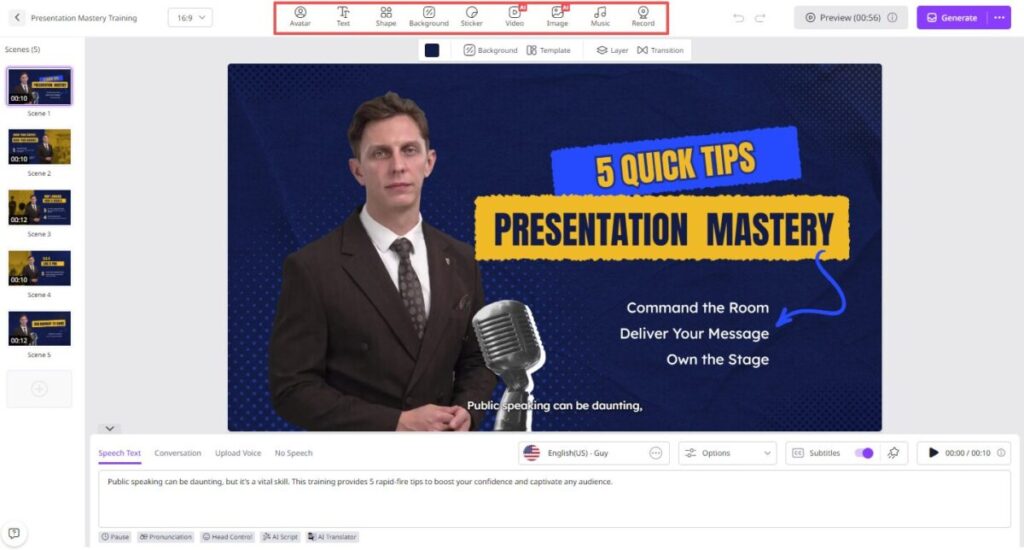
- Finally, click the “Generate” button, and your AI video will be ready within a few seconds. Preview and download it in multiple formats, including MP4.
Final Thoughts
In a world where technology and job requirements evolve faster than ever, bridging the skill gap has become a critical priority for every organization. Vidnoz AI empowers businesses to meet this challenge head-on by transforming the way training is created and delivered.